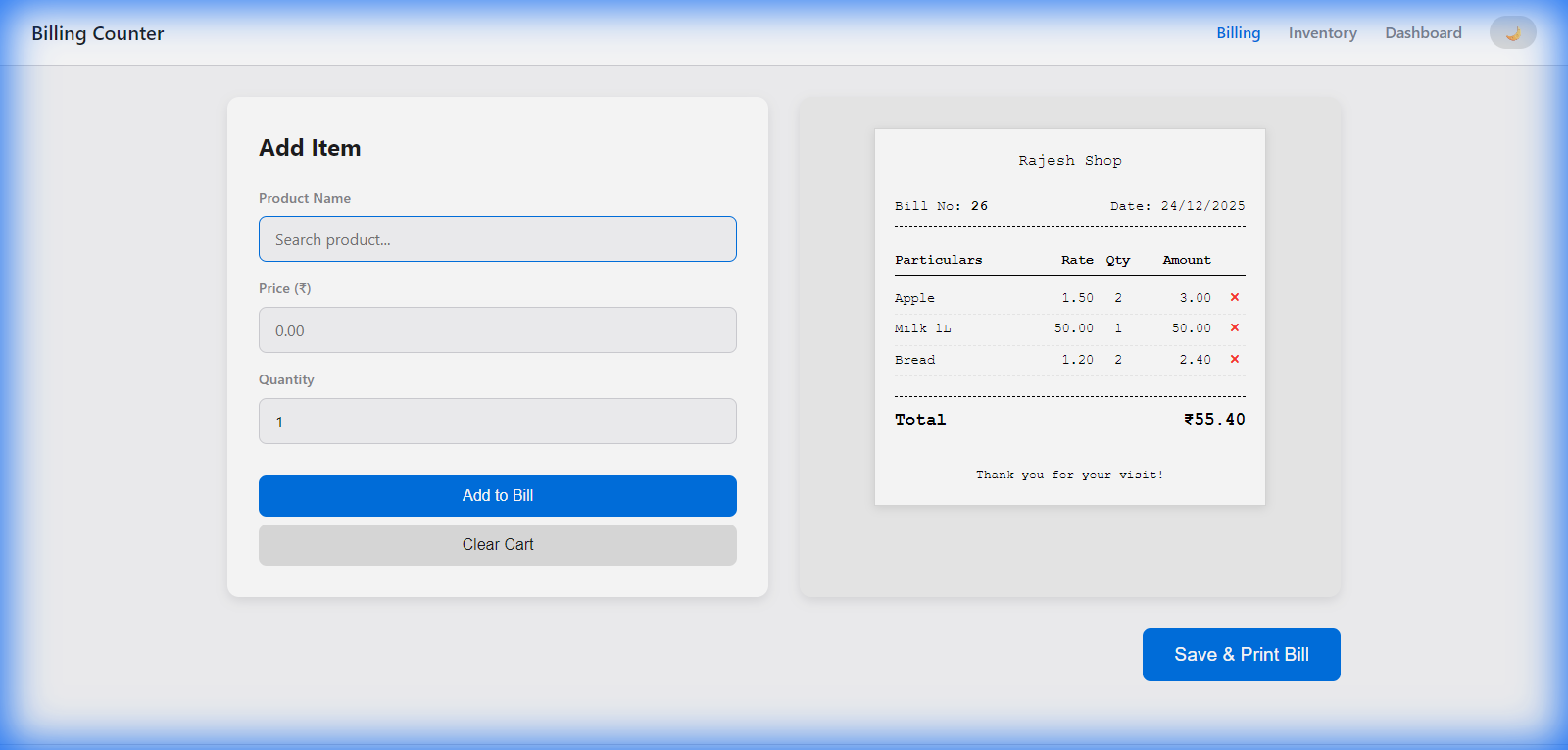
In today’s fast-paced retail world, the last thing a small business owner needs is a clunky, expensive, and overly complex Point of Sale (POS) system. Many existing solutions require a constant internet connection, monthly subscriptions, or high-end hardware.
We are excited to introduce a Lightweight, Offline-First POS Billing System—a free, open-source solution designed for speed, simplicity, and reliability.
Whether you’re running a boutique, a cafe, or a local grocery store, this tool is built to let you focus on what matters most: your customers.
Why Choose This POS System?
1. Speed & Efficiency
Time is money. Our billing interface is optimized for rapid checkout. With real-time product search (autocomplete) and keyboard shortcuts, you can process a customer’s bill in seconds without even touching the mouse.
2. Works Offline
Internet outages shouldn’t stop your business. Built with Python (Flask) and SQLite, all your data is stored locally on your machine. You can keep billing even if the world goes offline.
3. Fully Customizable Receipts
Your receipt is your brand. The system allows you to:
- Upload your Shop Logo.
- Customize Shop Header (Name, Address, Contact) with a rich-text editor.
- Adjust Receipt Width (e.g., 58mm or 80mm) to fit your specific printer.
4. Zero Cost (Open Source)
This project is released under the MIT License. That means it’s free for everyone to use, modify, and distribute. No hidden fees, no subscriptions.
Key Features at a Glance
- Fast Billing Terminal: Dynamic price fetching and automatic stock deduction.
- Inventory Management: Easily add, edit, or delete products. Update prices and stock levels directly in the table.
- Sales Dashboard: Get a quick overview of your daily revenue and transaction count.
- One-Click Backup: Export your entire database (
shop.db) with a single click for safekeeping. - Modern UI with Dark Mode: A sleek, responsive design that looks great on any screen and includes a toggle for dark mode.
- Tamil Transliteration Support: Specially designed for regional users, making it easier to search products in Tamil.
Technical Stack
- Backend: Python & Flask (Lightweight and fast)
- Database: SQLite (No separate server setup required)
- Frontend: Vanilla JavaScript (Fast performance)
- Styling: Pure CSS with responsive layouts
Getting Started
Setting up the system is incredibly simple, especially on Windows:
- Download the repository from GitHub.
- Run the
run_app.ps1script with PowerShell. It will automatically set up your environment and launch the app in your browser athttp://localhost:5000.
For Mac/Linux users, a simple pip install -r requirements.txt followed by python app.py gets you up and running in no time.
Join the Community
This project started as a way to simplify retail operations and has grown through community feedback. If you are a developer, we’d love for you to contribute!
Download Code Or View on GitHub
Developed by Rajeshkannan MJ with the help of Google Gemini Pro.
Looking for more themes and tools? Visit pixelthemes.com for more high-quality resources for your next project.
Leave a Reply
You must be logged in to post a comment.