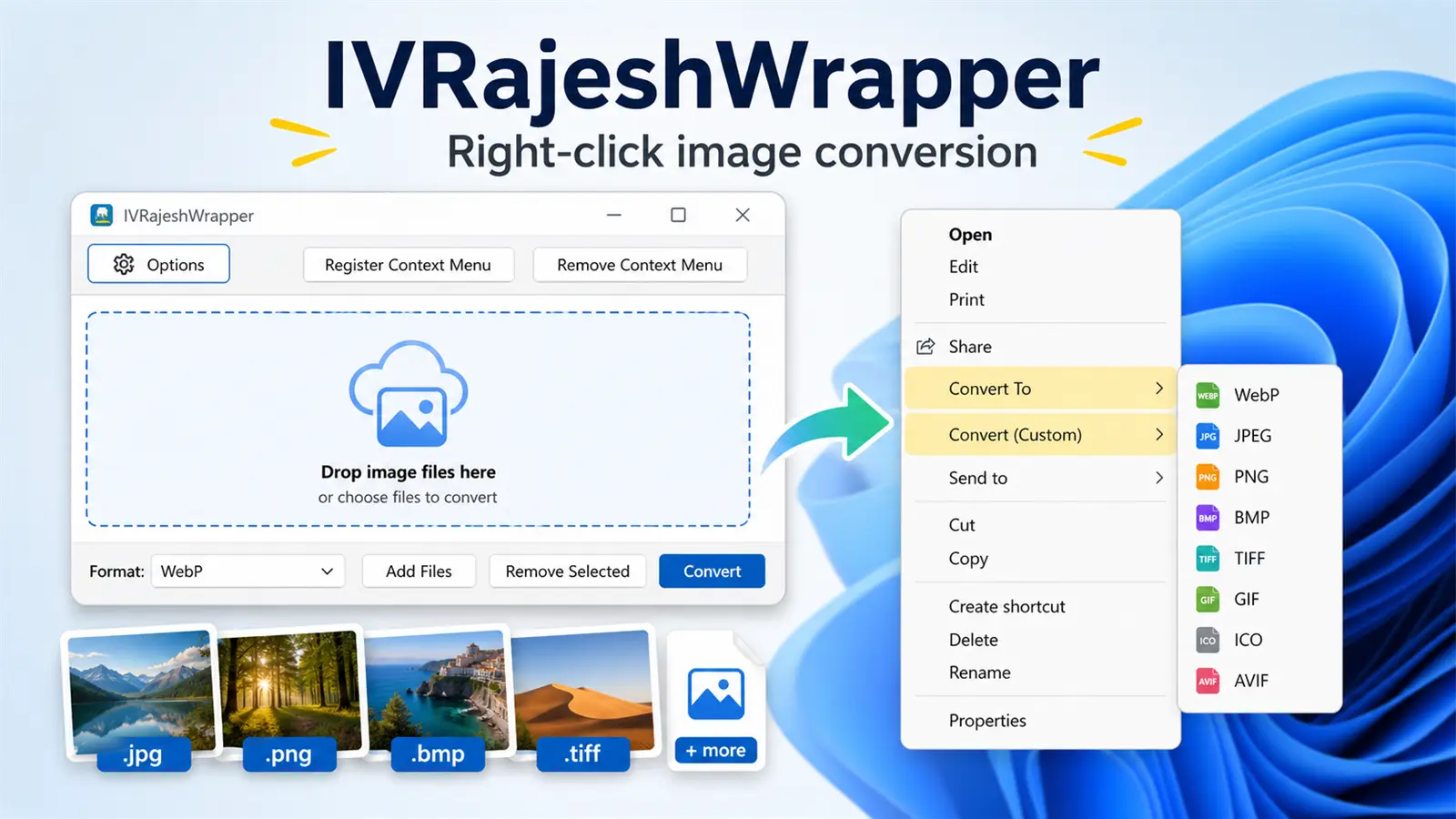
A small native Windows app for drag-and-drop batch conversion, format presets, and right-click image conversion powered by IrfanView.
Windows image utility
A small native Windows app for drag-and-drop batch conversion, format presets, and right-click image conversion powered by IrfanView.
What is IVRajeshWrapper?
IVRajeshWrapper is a lightweight Windows utility that wraps common IrfanView image conversion tasks into a simpler workflow. Instead of opening IrfanView, finding the right command, and repeating the same export steps, you can drop files into the app or use the Windows Explorer right-click menu.
It is designed for people who frequently convert screenshots, photos, icons, and web images between formats such as WebP, JPEG, PNG, BMP, TIFF, GIF, ICO, and AVIF.
Supported formats include:
- WebP
- JPEG
- PNG
- BMP
- TIFF
- GIF
- ICO
- AVIF
Two ways to convert images
The main window gives you a direct drag-and-drop workspace. Add one file or many, choose an output format, and click Convert. The app keeps the interface intentionally simple: format, files, convert.
The Explorer integration is where it becomes especially convenient. After registering the context menu, image files get conversion actions directly in the right-click menu. You can choose a standard format from Convert To, or use your own preset from Convert (Custom).
Custom commands for repeat work
Some conversions are not just about changing the file extension. You might want to resize images, control quality, export icons at a fixed size, or use special IrfanView arguments. IVRajeshWrapper includes a custom command editor for those repeated tasks.
Custom commands can use structured options or raw IrfanView arguments with placeholders like {src} and {dst}. Once saved, those commands can appear both inside the app and in the Explorer context menu.
Note: IVRajeshWrapper does not replace IrfanView. It works as a practical wrapper around IrfanView, so IrfanView must be installed or selected in the app settings.
Why this is useful
- Convert multiple images without opening a large editor.
- Access common formats directly from Windows Explorer.
- Keep custom conversion presets available from the right-click menu.
- Use a small native Windows executable without a heavy runtime.
- Quickly register or remove the Explorer context menu from the app.
Getting started
- Download the EXE from the link above.
- Run IVRajeshWrapper.
- Open Options and confirm the IrfanView path, or use auto-detect.
- Click Register Context Menu if you want Explorer right-click conversion.
- Drop images into the app or right-click an image in Explorer and choose a conversion format.
Who it is for
This app is best for Windows users who already like IrfanView and want a faster shell workflow. It is especially handy for web developers, bloggers, designers, students, and anyone who often prepares image files for upload, email, documentation, or websites.
Quick facts
- Platform: Windows
- Engine: IrfanView
- Workflow: drag-and-drop or right-click
- Context menu: optional and reversible
- Best for: batch image conversion
Download IVRajeshWrapper
Upload the compiled EXE to Google Drive, make the file shareable, and replace the placeholder URL in this Markdown post.
Leave a Reply
You must be logged in to post a comment.