Home automation doesn’t have to be complicated. Sometimes the most useful automations are the simplest ones—like getting notified when a temperature crosses a threshold.
What This Automation Does
This is a straightforward temperature monitoring automation for Home Assistant. It watches a temperature sensor (in this case, a test helper) and sends an alert whenever the temperature goes above 30°C.
alias: "Test Automation: High Temp Alert"
description: Notifies if the Test Temperature helper is set above 30.
triggers:
  - entity_id: input_number.test_temperature
    trigger: state
conditions:
  - condition: numeric_state
    entity_id: input_number.test_temperature
    above: 30
actions:
  - data:
      title: Testing Automation Success
      message: >
        ⚠️ HIGH TEMP ALERT! The Test Temperature is currently  {{
        states('input_number.test_temperature') }}°C.
    action: persistent_notification.create
mode: single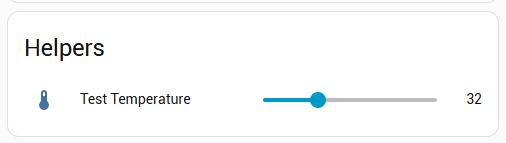
How It Works
The automation breaks down into three basic parts:
The Trigger: It monitors an input number helper called “Test Temperature” and fires whenever the value changes.
The Condition: Before taking action, it checks whether the temperature is actually above 30°C. This prevents false alerts when the temperature drops back down.
The Action: When both the trigger and condition are met, it creates a persistent notification with a warning emoji and displays the current temperature reading.
Why This Pattern Is Useful
This simple pattern can be adapted for all sorts of monitoring scenarios—freezer temperatures, room humidity, battery levels, or any numeric sensor in your smart home. The persistent notification ensures you won’t miss the alert, even if you’re not actively looking at your phone when it arrives.
It’s set to “single” mode, which means it won’t spam you with multiple notifications if the temperature stays high. Once triggered, it waits until the automation completes before it can run again.
For anyone just getting started with Home Assistant automations, this is a great template to learn from and modify for your own needs.
Leave a Reply
You must be logged in to post a comment.