Is your computer desktop cluttered with dozens of icons? Do you find yourself constantly searching through the Windows Start Menu, digging through deep folders, or hunting through browser bookmarks just to open the same few things every day?
If so, you need a cleaner, faster way to work.
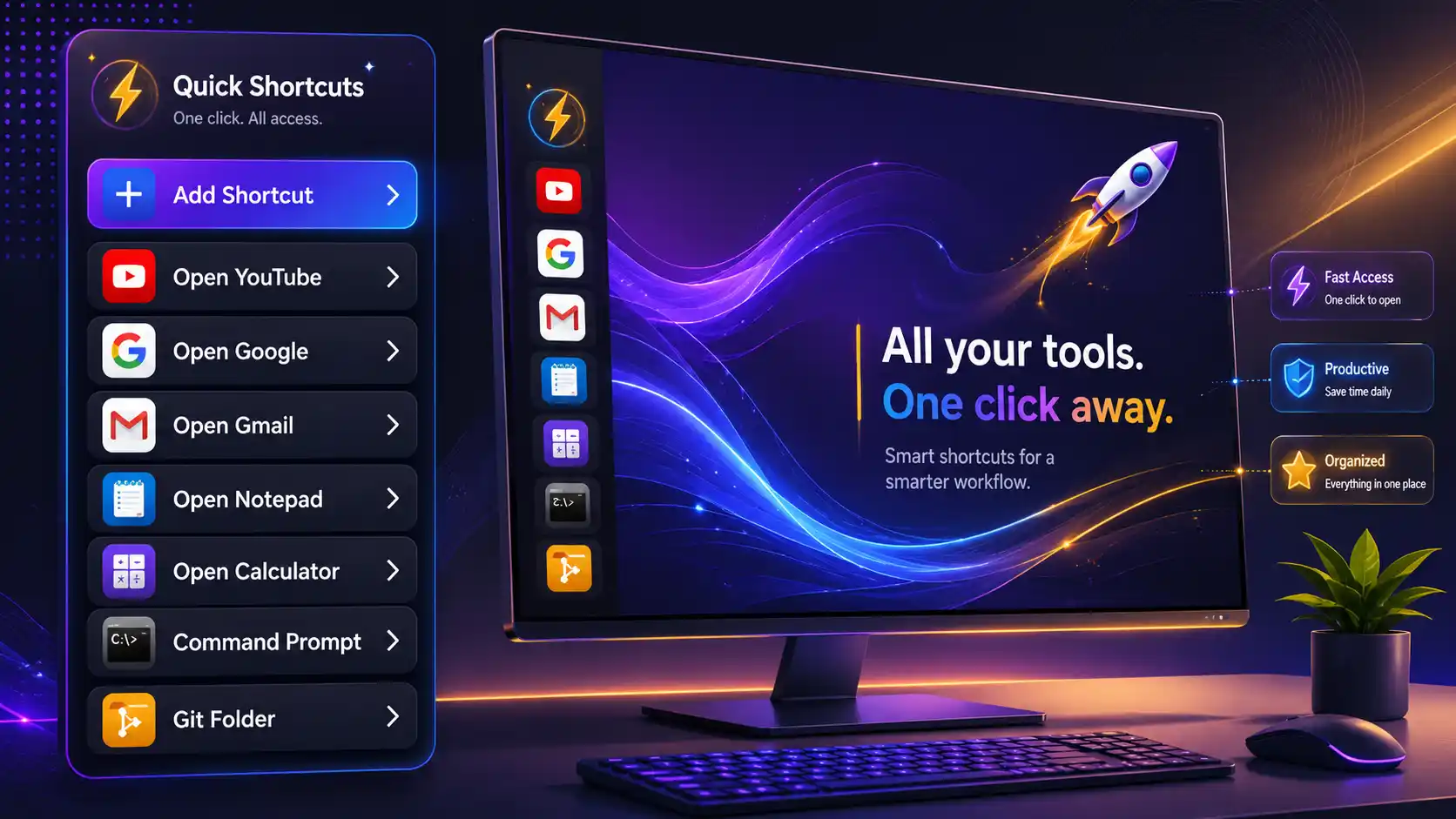
Introducing Quick Shortcuts—a beautiful, minimalist sidebar that stays hidden in the background and slides onto your screen instantly whenever you need to open an app, website, or document.
What is Quick Shortcuts?
Quick Shortcuts is a lightweight, floating utility panel for Windows. Instead of keeping a messy desktop or pinning twenty different apps to your taskbar, Quick Shortcuts lets you group all your daily tools, links, and documents into a clean vertical dock.
It’s designed to be instant, lightweight, and completely unobtrusive.
How it Simplifies Your Daily Workflow
1. Instant Access with Alt + Space
You don’t need to click any icons to open it. Just press Alt + Space on your keyboard, and the sidebar instantly slides onto your screen. Press it again, and it vanishes. It is there when you need it and completely invisible when you don’t.
2. Launch Everything from One Place
You can customize the buttons on the panel to open three different kinds of shortcuts:
- Applications: Open your daily programs (like Web Browsers, Word, Photoshop, or Slack) instantly.
- Websites: Click a button to launch your favorite URLs (such as your email inbox, work dashboard, calendar, or news websites) directly in your default browser.
- Commands & Scripts: Launch scripts or developer tools with a single click.
3. Drag, Drop, and Position it Anywhere
Everyone works differently. You can drag the Quick Shortcuts panel to any position on your screen—whether it’s on your second monitor, docked to the side, or sitting right in the center. The app remembers exactly where you left it and will reappear in that exact spot every time.
4. Out of Sight, Out of Mind (System Tray)
When you click the Close (X) button, the app doesn’t clutter your taskbar. Instead, it minimizes into your System Tray (near the clock). It runs quietly in the background, consuming almost zero computer memory, waiting for your next Alt + Space keypress. To exit completely, just right-click the tray icon and select Quit.
Tailored to Your Screen
Right-click the panel header to customize the look and feel:
- Three Layout Sizes: Choose between Small, Medium, or Large button sizes to perfectly match your screen resolution or visual preference.
- Auto-Start: Toggle Run at Startup so Quick Shortcuts is ready to go as soon as you turn on your computer.
- Easy Customization: Add new buttons, edit existing targets, or delete outdated shortcuts in a couple of clicks.
A Premium Desktop Companion
Quick Shortcuts is built for speed. Unlike heavy modern utility apps that slow down your system, this tool is built to start instantly and consume virtually no memory.
The app was Coded with AI by Rajeshkannan MJ as a tool to bring peace and order to daily workflows. In keeping with this spirit, the app is dedicated with a traditional Tamil sign-off:
திருச்சிற்றம்பலம் (Thiruchitrambalam) அன்பே சிவம் (Anbe Sivam — Love is God)
Get Started Today!
Clear your desktop, save your taskbar space, and start launching your applications and websites at the speed of thought.
Try Quick Shortcuts today and experience a clean, distraction-free desktop!
Download Link
https://drive.google.com/file/d/11GhCf-POiEeJNEGJCVa7cTNb7mIoTtaN/view?usp=sharing
Leave a Reply
You must be logged in to post a comment.